An employee account is compromised. That is a problem. A domain administrator account is compromised, and the situation can be much worse.
A privileged account may be able to change system configurations, create or remove users, access sensitive information, modify security controls, or manage other accounts. That level of access makes privileged credentials an attractive target for attackers.
Privileged Access Management (PAM) is designed to reduce that risk. It gives organizations tighter control over who can use privileged accounts, when they can use them, what they can access, and what they do during a privileged session.
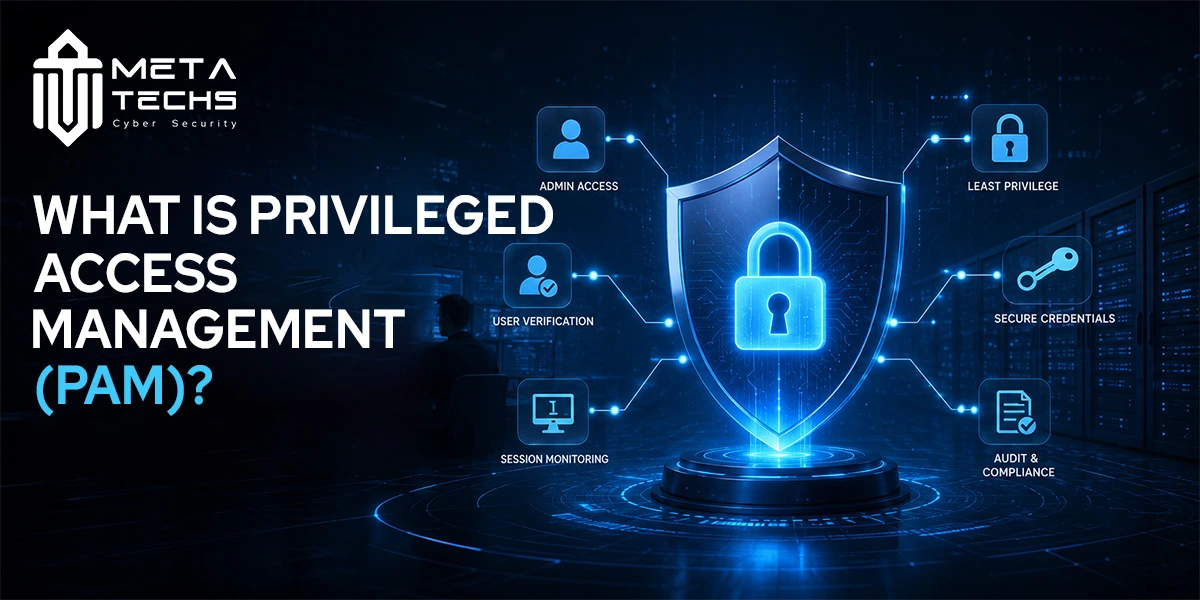
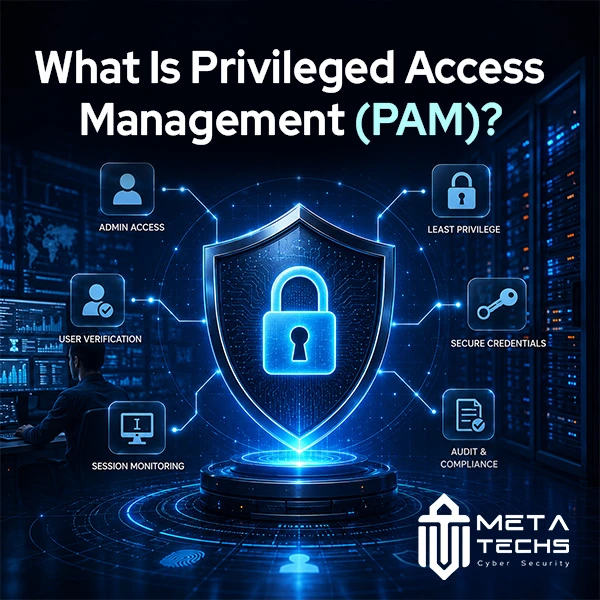
PAM is not simply a password vault. Modern PAM solutions combine credential protection, least-privilege access, just-in-time elevation, session monitoring, auditing, and other controls to reduce the amount of standing privileged access in an environment.
What Is PAM?
Privileged Access Management is a security discipline for controlling and protecting accounts, credentials, and activities that have elevated access to systems and sensitive resources.
A normal employee account might allow someone to read documents or use business applications. A privileged account can have permissions to change those applications, modify configurations, create accounts, or access restricted data.
PAM puts additional controls around that higher level of access.
For example, instead of allowing an administrator to keep a powerful account permanently active, a PAM system can require the administrator to request access when it is needed. The access can then be approved, granted for a limited period, monitored while it is being used, and removed when the task is complete.
This approach also applies beyond human administrators. Service accounts, applications, machines, cloud identities, and other non-human identities can have elevated permissions and need appropriate controls too.
Why Privileged Accounts Are High-Risk Targets
The problem with privileged access is not that administrators are inherently untrustworthy. It is that these accounts have a much larger blast radius if they are compromised or misused.
An attacker who obtains an ordinary employee credential may gain access to that person’s applications. An attacker who obtains a highly privileged credential may be able to change permissions, disable protections, access sensitive systems, or move toward other high-value resources.
Microsoft’s current privileged-access guidance describes privileged identities as having the ability to modify access controls, change system configurations, access sensitive data, and disable or bypass security protections.
That makes privileged credentials worth protecting differently from ordinary credentials.
The risk can also come from inside the organization. An employee or contractor with legitimate privileged access may intentionally misuse it, or accidentally make a damaging change. PAM does not eliminate insider threats, but it can reduce the opportunity for misuse and provide better visibility into privileged activity.
This is particularly important in hybrid environments where administrators may work across on-premises infrastructure, cloud platforms, databases, network devices, and business applications.
Key PAM Capabilities: Vaulting, Session Monitoring, and Just-in-Time Access
A modern privileged access management solution usually brings several controls together rather than relying on one feature.
| PAM capability | What it does | Why it matters |
| Credential vaulting | Stores and protects privileged credentials | Reduces exposure of sensitive passwords and secrets |
| Password rotation | Changes privileged credentials automatically | Limits the value of stolen or reused credentials |
| Just-in-time access | Grants elevated access only when needed | Reduces permanent privileged access |
| Session monitoring | Tracks privileged activity | Helps identify suspicious or inappropriate actions |
| Session recording | Records privileged sessions where appropriate | Creates an audit trail for investigations |
| Access approval | Requires authorization for sensitive access | Adds another layer of control |
| Least privilege | Limits permissions to what is actually required | Reduces unnecessary exposure |
Credential Vaulting
Credential vaulting is one of the better-known PAM capabilities.
Instead of leaving administrator passwords in spreadsheets, scripts, documents, or shared password stores, a PAM platform can keep privileged credentials in a controlled vault. Access to those credentials can be restricted and monitored, while passwords can be rotated according to policy.
This is particularly useful for accounts that still require passwords because of legacy systems, infrastructure devices, applications, or other technical limitations.
But vaulting alone does not solve the entire privileged-access problem. An organization can securely store an administrator password and still give that administrator permanent, excessive access.
That is why modern PAM programs increasingly combine vaulting with temporary privilege and stronger access controls.
Just-in-Time Access
Just-in-time, or JIT, access changes the traditional model of permanent privilege.
Imagine an administrator needs to make a change to a production server. Instead of keeping the required administrative permissions all day, the administrator requests access for that particular task.
The request can be evaluated against predefined policies. Depending on the organization’s setup, it may require MFA, approval, a specific reason for access, or other conditions. Once approved, the administrator receives the required privilege for a limited period.
After the approved period ends, the privilege is removed.
Microsoft’s PAM guidance uses this time-bound model to prevent privileged permissions from remaining attached to accounts indefinitely.
The benefit is straightforward: if an account is compromised when it does not currently have elevated privileges, the attacker has less access to work with.
Session Monitoring
Controlling who receives privileged access is only half of the problem. Organizations also need visibility into what happens after access is granted.
Privileged session management can record events, commands, keystrokes, or other session activity depending on the platform and policy. These records can help security teams investigate suspicious behavior and establish who performed a particular administrative action.
For example, if a production database is modified unexpectedly, session records can help determine which privileged session made the change and when it happened.
That visibility is useful for both security investigations and audit requirements.
PAM vs IAM: What’s the Difference?
IAM and PAM are closely related, but they solve different problems.
Identity and Access Management covers identity and access across the organization. It deals with areas such as authentication, authorization, user lifecycle management, SSO, MFA, and access policies.
PAM focuses specifically on higher-risk privileged access.
| IAM | PAM |
| Covers identity and access broadly | Focuses on privileged access |
| Applies to ordinary and privileged users | Gives additional controls to high-risk accounts |
| Handles authentication and authorization | Adds controls such as vaulting, JIT and session monitoring |
| Manages access throughout the identity lifecycle | Controls how elevated access is obtained and used |
PAM is generally considered a specialized part of the broader IAM discipline. The distinction exists because privileged accounts need stronger controls than ordinary accounts.
For example, an employee might use IAM to sign in to the company’s HR application. A system administrator managing the underlying infrastructure may require PAM controls before receiving administrative access to the server hosting that application.
The two work together rather than competing with each other.
Signs You Need a PAM Solution
PAM becomes particularly relevant when an organization has more privileged access than its security team can confidently track and control.
One warning sign is the existence of shared administrator passwords. If several people know the same privileged credential, it becomes difficult to establish accountability and harder to respond when someone leaves the organization.
Another is permanent administrative access. If employees have powerful permissions simply because they might need them someday, the organization is carrying unnecessary risk every day.
Third-party access is another common problem. Vendors and contractors may need privileged access to troubleshoot systems, but leaving those permissions active indefinitely creates an avoidable exposure.
The same issue appears with service accounts and automation. A non-human account with excessive permissions can become just as valuable to an attacker as a human administrator account.
A PAM solution becomes especially useful when the security team cannot easily see who has privileged access, which systems those accounts can reach, when that access is being used, or whether the permissions should still be active.
If answering those questions requires checking multiple spreadsheets, systems, and logs manually, privileged access probably needs stronger centralized controls.
How PAM Helps Reduce Insider Threats
PAM does not make malicious activity impossible, and it cannot guarantee that a trusted employee will never misuse access.
What it can do is make privileged access more controlled and observable.
A user can be given only the permissions required for a task. Elevated access can require approval. Credentials can be protected instead of openly shared. Sessions can be monitored or recorded. Privileges can expire automatically rather than remaining active indefinitely.
Microsoft’s documentation also describes auditing and monitoring privileged access as a way to identify unauthorized activity and investigate actions performed by insiders. That changes the security model from “trust the administrator” to “control and verify privileged activity.”
Is PAM Required for Compliance?
PAM can support several security and compliance requirements, particularly those related to access control, least privilege, authentication, monitoring, and auditability.
However, it is too broad to say that every organization must deploy a specific PAM product simply because it needs ISO 27001 or PCI DSS compliance.
The better question is whether the organization’s existing controls adequately protect privileged access and provide the evidence required by the applicable standard.
PAM can make that easier by providing centralized access controls, approval records, session activity, credential management, and audit trails.
Organizations should still map their PAM controls to the specific requirements that apply to their industry and environment rather than treating PAM as a compliance checkbox.
How Long Does PAM Implementation Take?
There is no standard PAM implementation timeline. A small environment with a limited number of privileged accounts and modern identity controls can move faster than a large enterprise with legacy applications, multiple cloud platforms, thousands of accounts, and third-party administrators.
A practical implementation usually starts with discovery. First, identify privileged accounts, credentials, systems, service accounts, and existing access paths. Then prioritize the accounts and systems that present the greatest risk.
From there, organizations can introduce controls such as credential vaulting, MFA, password rotation, least privilege, JIT access, session monitoring, and access reviews.
It is usually better to protect the highest-risk accounts first than to attempt to bring every privileged identity under management on day one.
Microsoft’s implementation guidance similarly emphasizes defining privileged roles, establishing governance requirements, choosing appropriate access methods, and controlling how privileges are activated.
Meta Techs PAM Solutions
Meta Techs provides PAM solutions as part of its identity and access security services.
Its PAM approach is centered on controlling privileged access, protecting sensitive credentials, monitoring privileged activity, and reducing unnecessary administrative permissions. Meta Techs also works with BeyondTrust PAM capabilities for controlling, monitoring, and auditing privileged access.
For an organization considering PAM, the starting point should not simply be choosing a software platform. The more important questions are which privileged accounts exist, where permanent access is still being used, which credentials are exposed, and which systems would be most affected if a privileged identity were compromised.
From there, PAM can be introduced in stages, starting with the highest-risk access and expanding as the organization’s identity and security controls mature.
Frequently Asked Questions
What’s the difference between PAM and IAM?
IAM manages identity and access across an organization, while PAM focuses specifically on protecting and controlling high-risk privileged access. PAM is generally considered a specialized part of IAM and adds controls such as credential vaulting, just-in-time access, privilege elevation, and session monitoring.
How does PAM prevent insider threats?
PAM reduces the opportunity for misuse by limiting privileged permissions, requiring approval or stronger authentication for sensitive access, providing temporary elevation, and monitoring privileged sessions. It does not eliminate insider threats, but it improves control and accountability.
Is PAM required for compliance, including ISO 27001 and PCI DSS?
PAM is not automatically a universal requirement simply because an organization follows ISO 27001 or PCI DSS. However, PAM can help organizations meet access-control, least-privilege, monitoring, and audit requirements that may apply to their environment.
How long does PAM implementation take?
The timeline depends on the organization’s size, number of privileged accounts, existing identity infrastructure, legacy systems, cloud environment, and implementation scope. A phased deployment that starts with the highest-risk privileged accounts is generally more practical than trying to protect everything at once.
Final Takeaway
Privileged access deserves different treatment because a privileged account can affect far more than one user’s own data.
PAM gives organizations a way to reduce that risk by controlling elevated access, protecting credentials, limiting how long privileges remain active, and monitoring what happens during privileged sessions.
The goal is not to make administrators’ jobs harder. It is to make powerful access temporary, controlled, visible, and accountable.
Related posts:
 BeyondTrust PAM: The Smart Way to Secure Privileged Access
 BeyondTrust Password Safe for Secure Access Control
 BeyondTrust Distributor – Secure Your Business with Meta Techs
 Secure Access with BeyondTrust Privilege Management
 How to Secure Remote Access for Employees (Without Slowing Them Down)
 New attack vectors in EKS