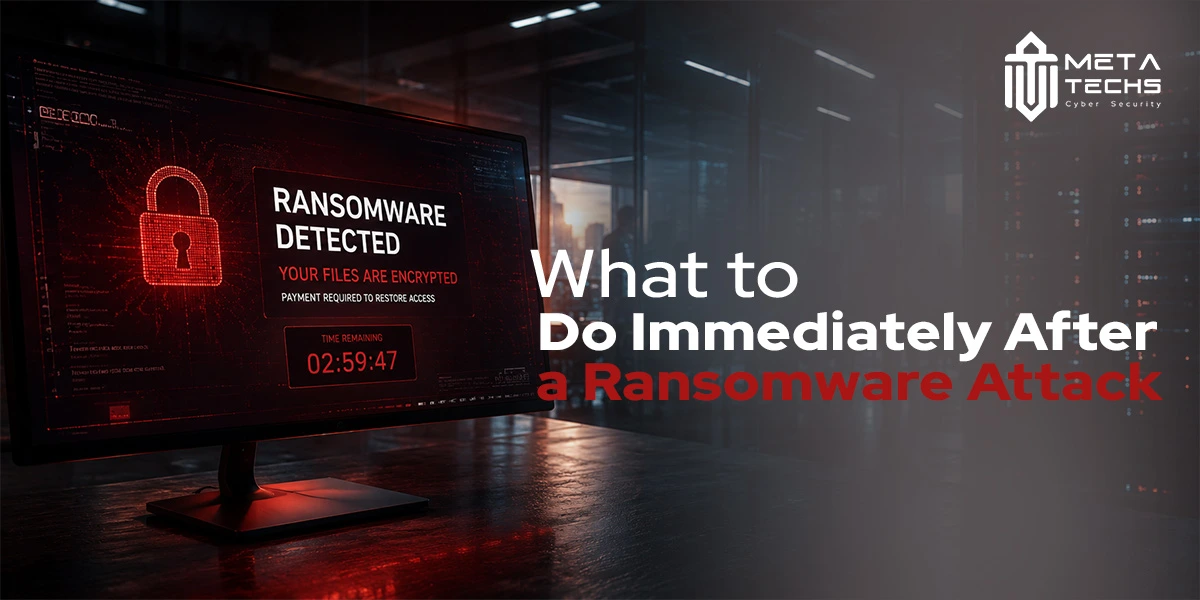
A ransomware attack can cause more than encrypted files and a ransom note. By the time the encryption becomes visible, an attacker may already have access to user accounts, servers, backups, or sensitive information.
Knowing what to do immediately after a ransomware attack can help limit the damage and give your security team a better chance of understanding what happened. The first priority is not to restore everything as quickly as possible. It is to contain the incident, protect recovery resources, preserve evidence, and determine whether the attacker still has access. A documented incident response plan makes this process significantly faster and more controlled.
The first four priorities are simple: Isolate -> Protect -> Preserve -> Investigate
Related reading
-> Ransomware Protection: How to Defend Your Business
-> Incident Response Services for Businesses
-> Cyber Attacks Examples: Real Cases and Business Lessons
-> DoppelPaymer Ransomware: A Dangerous Threat
What Should You Do Immediately After a Ransomware Attack?
When ransomware is detected, take action quickly, but avoid making changes that could make the situation worse.
The main ransomware response steps are:
- Isolate affected systems from the network.
- Protect backups and recovery infrastructure.
- Activate the organization’s ransomware incident response
- Preserve evidence before wiping or rebuilding systems.
- Identify compromised accounts, devices, and services.
- Determine whether sensitive data may have been stolen.
- Notify the appropriate internal teams and authorities.
- Assess recovery options before considering ransom payment.
- Restore systems only from verified clean backups.
- Investigate the root cause and strengthen security controls.
The exact response will depend on the size of the organization and the extent of the compromise. A small business may have only a few affected devices, while a larger organization may need to deal with compromised servers, cloud services, identity systems, and backups at the same time.
Step 1: Isolate Affected Systems
The first goal of ransomware containment is to stop the attack from spreading.
Disconnect infected or suspicious devices from the network as soon as possible. Depending on the environment, this may include endpoints, servers, shared storage, affected network segments, VPN connections, or cloud resources showing signs of compromise.
Isolation does not mean shutting down the entire organization without a plan. Security teams should identify which systems are affected and separate them from systems that are still operating normally.
What to isolate:
- Infected or suspicious endpoints
- Compromised servers
- Affected network segments
- Shared drives and storage
- Exposed VPN or remote-access connections
- Cloud resources showing suspicious activity
What not to do:
- Do not immediately wipe or reimage affected systems.
- Do not delete the ransom note or suspicious files.
- Do not blindly shut down every machine.
- Do not reconnect isolated devices just to test them.
- Do not start restoring backups before the environment has been assessed.
This matters because shutting down or wiping a system can remove useful evidence. In some cases, information held in memory or temporary system data can help investigators understand how the attack happened.
The objective is controlled isolation, not simply turning everything off.
Step 2: Protect Your Backups Before Recovery
Backups are often the most important recovery resource after ransomware, but they should not be treated as automatically safe.
Attackers know that organizations depend on backups. If they can access, encrypt, delete, or compromise those backups, recovering without paying becomes much harder. This is a pattern seen in recent attacks such as the Qilin ransomware group, which specifically targets backup systems.
Before starting ransomware backup recovery, determine whether your backup infrastructure was exposed to the attack.
Check:
- Whether backups were connected to affected systems
- Whether attackers could access backup servers
- Whether backup administrator accounts were compromised
- When the last known-good backup was created
- Whether the backup predates the intrusion
- Whether the backup has been tested
- Whether restoration can be performed in an isolated environment
Offline or otherwise protected backups can provide an important recovery option, but even those should be verified before being used.
A backup created after an attacker gained access may contain compromised accounts, altered configurations, or other signs of the intrusion. Restoring it without checking could bring the problem back into the environment.
Having a backup does not automatically mean the backup is safe.
Step 3: Activate Your Ransomware Incident Response Plan
Ransomware should not be handled like a normal IT problem. Once an attack is confirmed or strongly suspected, the organization should activate its ransomware incident response plan and establish who is responsible for coordinating the response.
The response may involve:
- IT and security teams
- Incident response specialists — available through dedicated incident response services
- Senior management
- Legal and compliance teams
- Cyber insurance representatives
- Communications teams
- External forensic specialists, when required
The team should establish a clear record of what happened, which systems are affected, what actions have already been taken, and who is responsible for each next step.
If the normal email or collaboration environment may be compromised, use a trusted alternative communication method for sensitive incident discussions.
A ransomware incident response checklist can also help teams track important actions, decisions, timestamps, affected systems, evidence, and recovery tasks. Most importantly, do not confuse containment with recovery. Getting a few systems working again does not necessarily mean the attacker has been removed. If your organization lacks an internal Security Operations Center, consider engaging an external team immediately.
Does your organization have an incident response plan ready before an attack? Explore our incident response services ->
Step 4: Preserve Evidence for Forensics
Evidence preservation should begin before affected systems are wiped, rebuilt, or restored.
Keep the ransom note and record relevant screenshots. Preserve available security and system information that may help investigators reconstruct the attack.
Useful evidence can include:
- Ransom notes
- Encrypted file extensions
- Screenshots of affected systems
- Affected hostnames and IP addresses
- Relevant timestamps
- EDR and antivirus alerts
- SIEM records
- Firewall logs
- VPN and remote-access logs
- Authentication records
- Suspicious user accounts
- Suspicious IP addresses and domains
- Relevant malware samples, where appropriate
Why Evidence Preservation Matters
The encryption itself may only be the final visible stage of the attack. A proper ransomware forensic investigation may need to determine how the attacker entered the environment, which accounts were compromised, how they moved between systems, whether they established persistence, and whether data was stolen before encryption began. SIEM records and EDR data are among the most valuable sources for this reconstruction.
Rebuilding an affected server or deleting suspicious files too early can make these questions much harder to answer.
Step 5: Investigate Compromised Accounts and Attacker Access
Removing ransomware from one computer does not mean the attacker is gone. If someone has stolen an administrator password or gained access through a VPN, they may be able to return even after the infected machine has been cleaned.
Start with identity and access. Look for unusual logins, newly created accounts, unexpected privilege changes, suspicious VPN sessions, and remote administration activity. In environments using Active Directory or cloud identity platforms, security teams should also check whether privileged accounts, service accounts, or authentication tokens were compromised.
The investigation should consider how the attacker moved through the environment. A compromised workstation may have been only the starting point. From there, an attacker could have reached file servers, databases, backup systems, or other critical resources.
The question is not simply, “Which computer was infected?” It is, “What access did the attacker have before the ransomware was deployed?” That distinction can determine whether recovery is actually safe.
Step 6: Determine Whether Data Was Stolen
Ransomware does not always end with encrypted files. Attackers may first copy sensitive information and then encrypt systems, giving them another way to pressure the victim. This is commonly known as double extortion and is a tactic used by groups such as DoppelPaymer and Qilin ransomware.
Encryption Is Not the Only Risk
There are several possibilities after an attack. Files may have been encrypted without evidence of theft. Sensitive information may have been copied before encryption. Attackers may threaten to publish data, or they may claim to have stolen information that has not yet been verified. This is why data leak prevention controls and outbound traffic monitoring matter long before an incident occurs.
Investigators therefore need to look for signs of data leaving the environment. Depending on the systems involved, that may include unusual outbound traffic, large transfers, newly created archive files, suspicious cloud-storage activity, or files being collected and compressed before the ransomware was launched.
This matters for ransomware attack recovery because restoring encrypted files does not resolve a possible data breach. If customer, employee, financial, or other sensitive information was taken, the organization may have additional legal, regulatory, contractual, and communication obligations — including under the UAE Personal Data Protection Law.
Related reading
-> DLP and Data Leak Prevention
-> UAE Personal Data Protection Law (PDPL)
-> VMware ESXi Ransomware Overview
Step 7: Notify Stakeholders and Authorities
Ransomware can quickly become a business problem, not just a security problem. Senior management may need to make decisions about downtime, customers, suppliers, insurance, and recovery priorities while the technical investigation is still underway.
Notify Internal Teams
The response normally involves IT and security, management, legal and compliance teams, and the people responsible for business continuity. Communications teams may also need to be involved if employees, customers, or partners could be affected. Keep communication controlled. If the usual email or collaboration systems may have been compromised, use a trusted alternative for sensitive discussions.
Contact Your Cyber Insurance Provider
If the business has cyber insurance, check the policy and contact the insurer according to its requirements. Some policies specify which legal, forensic, incident-response, or negotiation providers can be used. It is better to understand those requirements before making major decisions than to discover them after costs have already been incurred.
When Should You Contact Law Enforcement?
The answer depends on the organization, jurisdiction, sector, and circumstances of the incident. Law enforcement may also be useful when the attack involves significant financial loss, stolen information, or ongoing criminal activity. Do not assume that every ransomware incident has exactly the same reporting process.
What UAE Businesses Should Know After a Ransomware Attack
For organizations operating in the UAE, a ransomware incident can also raise local cybersecurity and data-protection considerations. For a ransomware attack, UAE organizations should assess the nature and scope of the incident before deciding what notifications may be required.
The organization should consider:
- What type of business is affected
- Which sector it operates in
- Whether personal data was involved
- Whether critical or regulated systems were affected
- Which regulator has jurisdiction
- How serious and widespread the incident is
The UAE PDPL may also become relevant when personal data is affected. Notification requirements can depend on the circumstances, so legal and compliance teams should be involved early. Organizations in regulated sectors should also review NESA requirements that may apply to their incident.
For companies looking for ransomware incident response UAE support, the technical priorities remain the same: contain the attacker, preserve evidence, investigate access, understand the exposure, and recover carefully. Meta Techs is recognized among the top IT security companies in Dubai and provides dedicated incident response support for UAE organizations.
Should You Pay a Ransomware Ransom?
There is no sensible “pay immediately” rule.
Before considering payment, the organization needs to understand what it is actually dealing with. Are clean backups available? Does the attacker still have access? Was sensitive data stolen? Can affected systems be recovered without payment? What does the cyber insurance policy require?
Legal and sanctions considerations also need to be checked, particularly when the identity of the attacker or the destination of a payment is uncertain.
Why Paying Does Not Guarantee Recovery
Payment does not guarantee that a working decryptor will be provided. Attackers can demand additional money, retain stolen information, or return later if the original weakness remains open. See our guide on ransomware protection for practical steps that reduce the need to face this decision in the first place.
For that reason, a ransom decision should form part of the wider ransomware recovery process rather than being treated as a shortcut around recovery.
Step 8: Begin Recovery From Verified Clean Backups
Start by identifying backups that were created before the compromise. Test them before using them for production recovery, and where possible, restore them in an isolated environment first.
A sensible order is:
- Identity and security infrastructure
- Critical business applications
- Databases
- File services
- User endpoints
- Non-critical systems
Restore gradually rather than reconnecting the entire environment at once. Check security controls at each stage and watch for anything unusual. A backup can restore your files, but it cannot remove an attacker who still has access to the environment. If your SOC or security team was not monitoring during the incident, now is the time to ensure continuous monitoring is in place before recovery is declared complete.
Step 9: Validate Recovery and Monitor for Reinfection
Systems coming back online does not mean the incident is over.
Continue watching privileged accounts, authentication activity, endpoint alerts, system logs, outbound traffic, backup infrastructure, and suspicious processes. Look for signs that an attacker has maintained persistence or regained access. SOC as a Service provides this kind of round-the-clock monitoring without requiring a fully staffed internal team.
This continued monitoring is an important part of the ransomware recovery process. If something unusual appears after restoration, investigate it instead of assuming it is an ordinary technical problem.
Need expert eyes on your environment during ransomware recovery? Explore our SOC monitoring services
Step 10: Conduct Ransomware Root Cause Analysis
Once the immediate crisis is under control, find out how the attacker got in and why the attack was able to spread.
How Did the Attacker Get In?
Investigate phishing and social engineering, stolen credentials, exposed remote services, unpatched software, vulnerable VPNs, third-party access, and weak identity controls. Vulnerability scanning can identify which of these gaps still exist after the incident.
Why Did the Attack Spread?
Look at excessive privileges, network segmentation, administrator accounts, endpoint protection, and monitoring gaps. A single compromised account should not automatically provide access to an entire environment.
Why Was the Attack Not Detected Earlier?
Review SOC alerts, SIEM records, EDR data, vulnerability management, and threat-detection processes. There may have been warning signs that were missed or never generated.
What Should You Improve After a Ransomware Attack?
The fix should address the weakness that allowed the attack, not just the machines that were encrypted.
Depending on the findings, improvements may include MFA, privileged access management, network segmentation, endpoint protection, SIEM monitoring, vulnerability management, regular patching, protected backups, employee awareness training, incident-response exercises, penetration testing, and backup restoration tests.
Related reading
-> Vulnerability Scanning and Patch Management
-> Network Penetration Testing
-> Cyber Security Awareness Training
-> What is Social Engineering in Cyber Security?
Ransomware Response Timeline: First 15 Minutes to First 30 Days
- First 15 minutes: Contain the attack and protect critical systems.
- First hour: Preserve evidence and establish what is known.
- First 4 hours: Investigate access and notify the necessary stakeholders.
- First 24 hours: Determine the scope and establish a recovery strategy.
- Days 2 to 7: Remove attacker access and restore priority systems.
- First 30 days: Complete the root cause analysis and strengthen the controls that failed.
How Meta Techs Supports Ransomware Incident Response
Ransomware recovery often requires more than restoring encrypted files. Meta Techs is recognized among the top IT security companies in Dubai and can help with threat containment, digital forensics, evidence collection, ransomware investigation, root cause analysis, and recovery planning.
The investigation can establish how the attacker entered, which systems or accounts were compromised, and whether sensitive data may have been exposed. After recovery, organizations can also strengthen their security through SOC and SIEM monitoring, vulnerability scanning, penetration testing, and ongoing security monitoring. Explore our full range of cybersecurity solutions for the complete picture.
FAQs
Can ransomware-encrypted files be recovered without paying?
Sometimes. Clean backups, available decryptors, or other recovery methods may make payment unnecessary. Our guide on ransomware protection covers preventive steps that give organizations the best chance of recovering without paying.
Do you need to report a ransomware attack to authorities?
It depends on the organization, sector, jurisdiction, and information affected. In the UAE, the UAE Personal Data Protection Law and NESA requirements may be relevant. Legal and compliance teams should assess the incident early.
What should you do immediately after a ransomware attack?
Isolate affected systems, protect backups, preserve evidence, activate incident response, and investigate before beginning recovery.
Should you shut down a computer infected with ransomware?
Not automatically. Isolating it from the network may contain the attack while preserving useful evidence. The EDR data and logs on an isolated system can be critical for understanding the scope of the compromise.
Under Attack or Preparing for the Worst?
A ransomware attack moves fast. Having the right team in place before it happens makes every step easier. Meta Techs provides dedicated incident response services for UAE organizations — from containment and forensics through to root cause analysis and recovery planning.
Contact our cybersecurity team today to discuss your ransomware readiness and build a response plan before you need one.
Related posts:
 How to Prepare for ISO 27001 Certification: Step-by-Step Guide
 ISO 27001 Certification in UAE (Step-by-Step Guide)
 What Are Ransomware Attacks ? Ransomware Attack Examples
 Qilin Ransomware Exploiting PAN-OS Authentication Bypass Vulnerability (CVE-2026-0257): Impact, Attack Chain, and Mitigation
 What is Ransomware attack types?, how it works?
 Managed Detection and Response (MDR) Services: The Complete Guide